Introducing liveTiming Mobile: A Better Race Day Experience
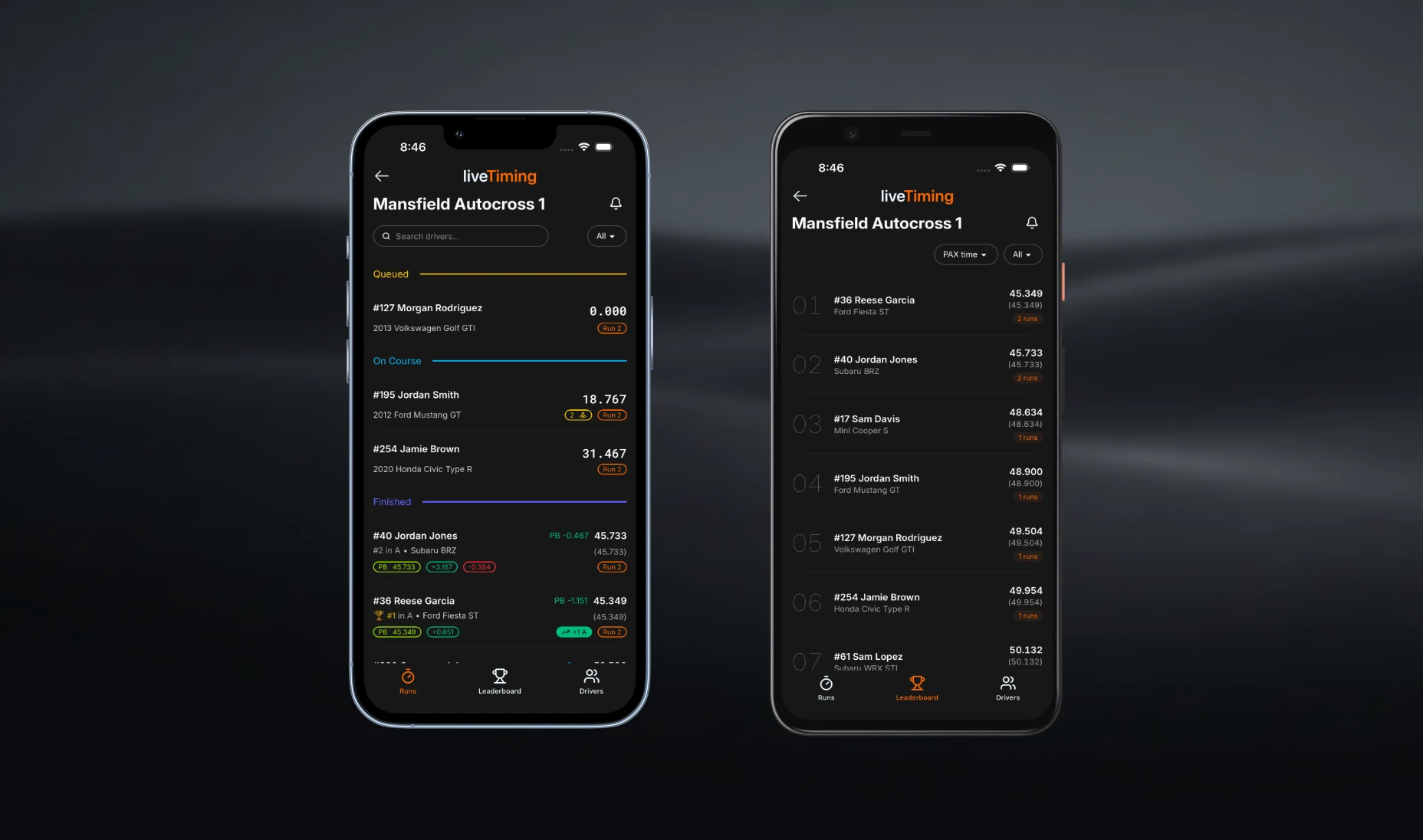
Today, we’re thrilled to introduce liveTiming mobile—a phone-first, friction-free way for clubs and drivers to get the most out of liveTiming.club on race day.
liveTiming has always been about making event data accessible, from live results to queue visibility. But we knew we could push the on-the-go experience further. Whether a driver is pulling up the app from the grid, checking their times between runs, or refreshing the leaderboard, using liveTiming on iPhone and Android is now faster, clearer, and more natural.
Here is a look at what's new and how it makes race day better for everyone:
A Smoother, Phone-First Experience
We know you're usually using liveTiming outdoors, in a rush, and juggling a hundred other things. We’ve overhauled the interface so you don't have to fight it:
- Frictionless Navigation: Moving around the app is now completely seamless.
- Reliable Deep-Linking: Opening links directly from your phone takes you exactly where you need to go without the hassle.
Smarter Push Notifications (For One Event or All of Them!)
Race-day communication can be tough. Emails get missed, social posts get buried, and SMS blasts cost money. We're fixing that with free, custom push notifications that give organizers a direct line to the paddock:
- Direct-to-Driver Updates: Instantly notify drivers about run group starts, weather delays, lunch breaks, or grid calls.
- Flexible Subscriptions: Drivers are in control. They can choose to subscribe to push notifications for a single, specific event, or they can subscribe to all of a club's events so they never miss an update all season long.
More Upgrades Under the Hood
While mobile is the headline, this release includes several other improvements across liveTiming.club to make it more dependable and complete:
- Timezone & Visibility Controls: Clubs can now set their local timezone and toggle whether they appear on the public liveTiming.club directory.
- Streamlined Management: Enjoy a new global "Create Event" shortcut, cleaned-up save behaviors across settings, smarter warnings before unsaved changes are lost, and simplified participant management.
How to Roll It Out
If you run events with liveTiming.club, getting started is straightforward.
Before your next event, ask your drivers to install the liveTiming mobile app, find your event, and subscribe to notifications. During the event, direct them back to the app for live timing, leaderboards, and real-time updates. Instead of splitting attention across texts, emails, and PA announcements, you can keep the entire race-day experience in one place.
We’re excited to keep building better tools for the way you already interact with timing. See you at the track!